On jobs that are really time compressed, we need to be fast and precise. This last week, I was on a commercial for four days which only had one day to prep a fair amount of gear. So I did my patch and paperwork before the prep day to make sure I was ready. Lightwright has added a new little trick to the Compare Patch feature in the new LW that made this even easier. Let’s get into it.
Do your patch in Eos, then create a new show file in LW. See the manual for how to connect LW to Eos, but it’s VERY easy. One note from my experience- do NOT forget to set your OSC TCP Mode to Slip 1.1! It will connect to the console, but will not actually import/export anything.
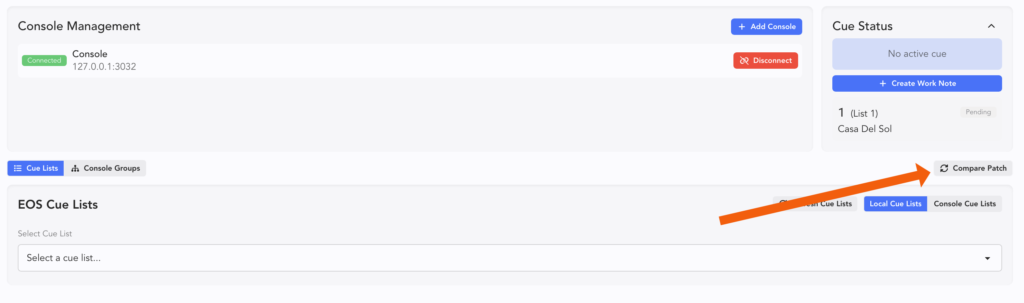
Once connected, see the Compare Patch button? Touch it.
A popup appears with all your fixtures from Eos.
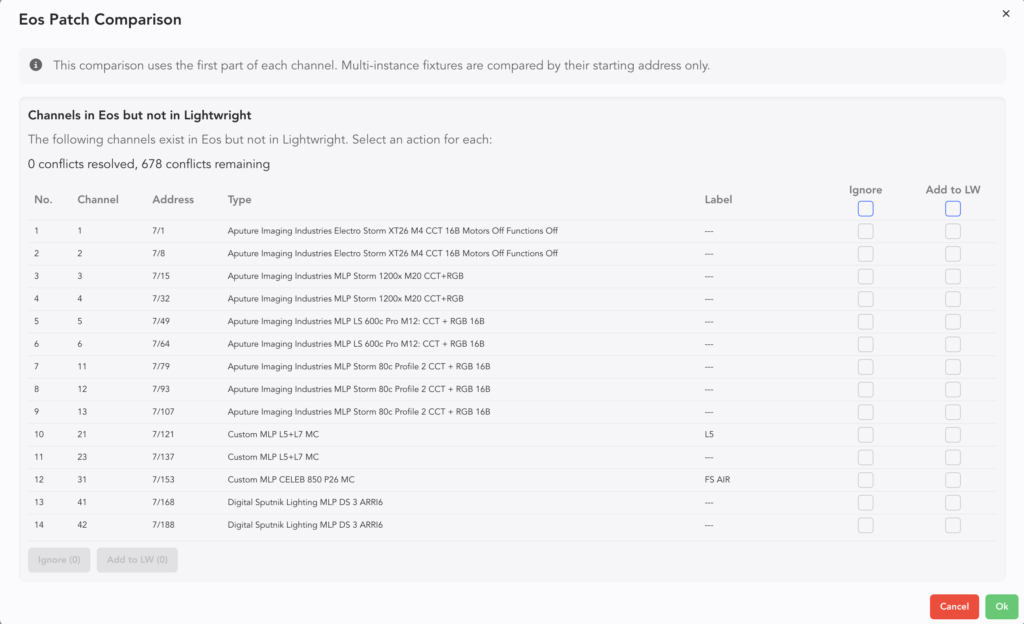
If you are like me at all- you probably have reference fixtures in your template to carry data for your Palettes and whatever. Click on the line items you want using either Shift click for a start/end range or using Cntl/Cmd click to pick and choose. Then touch Add to LW.
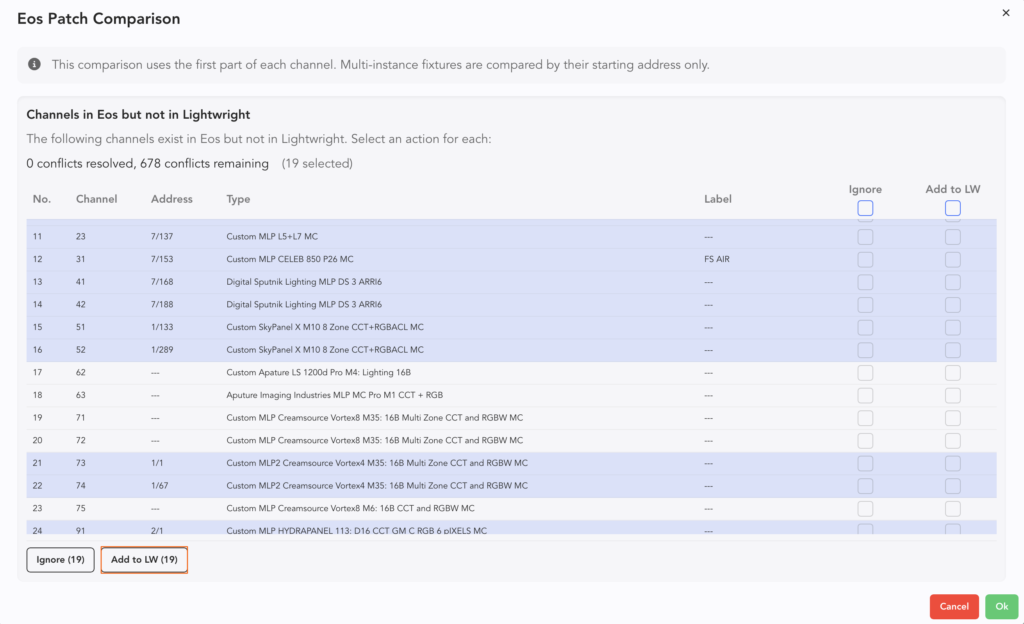
You’ll see the checks appear on the right.
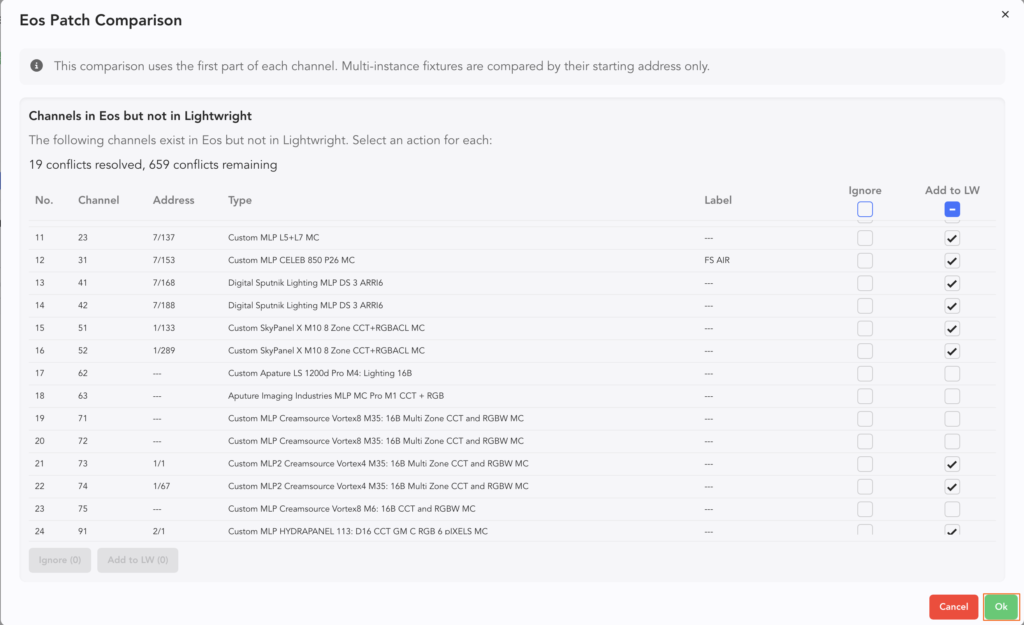
Once that’s done, click Ok at the bottom right. All the data is now in your LW file. Take a moment to use Instrument Maintenance to clean up your fixture names. Mine are WAY too long and won’t ever fit on a label.
Labels are a big topic, so see the manual for how to set and configure. But I can tell you- it’s faster and easier than ever before!
Starting in Eos and importing to LW this way probably saved me an hour or two over the old method, which is exporting from Eos to CSV, cleaning up all the multicell fixtures and how they appear, then importing into LW.
A fast acknowledgement- I wrote the manual for Lightwright, which is why I mention it here. (Not sure how to describe processes better than I already did!) This article is NOT a work for hire, I wrote this entirely of my own accord because I found this added function helpful. Happy programming!
***
Mark LaPierre is a programmer in film, television and theater based out of Albuquerque. He grew up in live entertainment and has been a designer/programmer for musicals, concert dance, live music, circus and corporate. Mark is a proud member of IATSE, an ETC Eos trainer and an enthusiastic trainer of many other platforms and subjects. He offers remote console coaching in 30 minute to 4 hour times as well as a full range of training in person. If you enjoy his content, please consider commenting on his posts on the website to appease the Algorithm.
4 comments