On this series I just finished, I created a TV effect for two different DPs. Both had the TV effect stop, but they wanted different end results.
DP 1 wanted the screen to go to a look he could choose.
DP 2 wanted the effect to freeze exactly where it was.
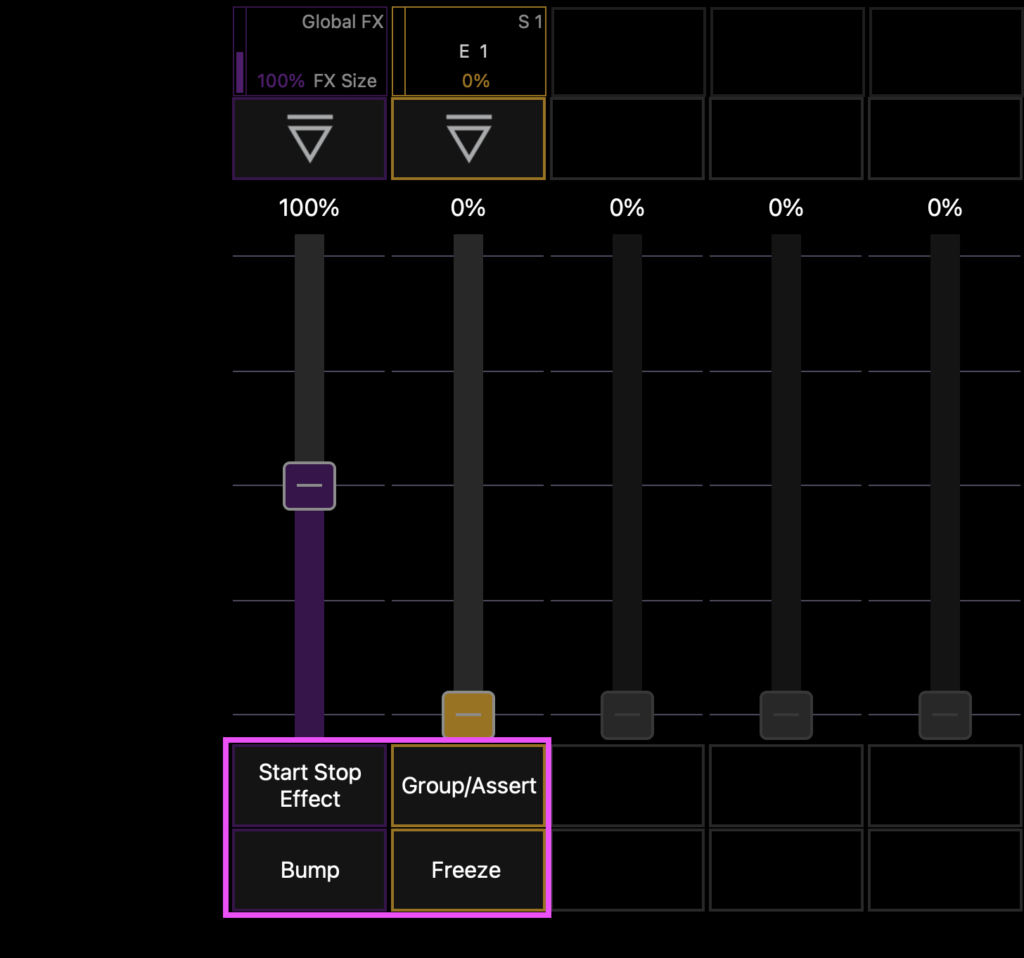
For the first, using the Stop Effect command (provided by loading a Global FX onto a fader since I also wanted to be able to speed up or slow down the effect if needed) meant that when I pressed the Stop button, the effect stopped completely, leaving the background value the DP wanted.
For the second, using Freeze (created by editing the button layout in Blind Sub and taking out Bump for Freeze) stopped the effect exactly where it was at that moment.
Obviously, both are useful and you need to have knowledge of each in order to make the right choice in the moment.
What subtleties in Effect handling have you wanted or noticed were already there in Eos? Hit me in the comments.
***
Mark LaPierre is a programmer in film, television and theater based out of Albuquerque. He grew up in live entertainment and has been a designer/programmer for musicals, concert dance, live music, circus and corporate. Mark is a proud member of IATSE Local 28 and 480, an ETC Eos trainer and an enthusiastic trainer of many other platforms and subjects. He offers remote console coaching in 30 minute to 4 hour times as well as a full range of training in person. If you enjoy his content, please consider commenting on his posts on the website to appease the Algorithm.