This is a quick one. It’s possible to create a very basic effect in Eos from Live. I’ve started to do this a few times when I accidentally typed in the number of an effect that doesn’t exist. Let me show you.
Put a channel selection on your command line followed by an effect number that doesn’t yet exist. Something like this:
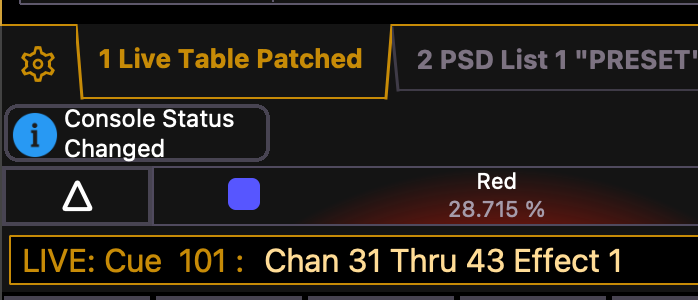
Hit Enter and a popup opens while your command line adds “Create Type” to the end.
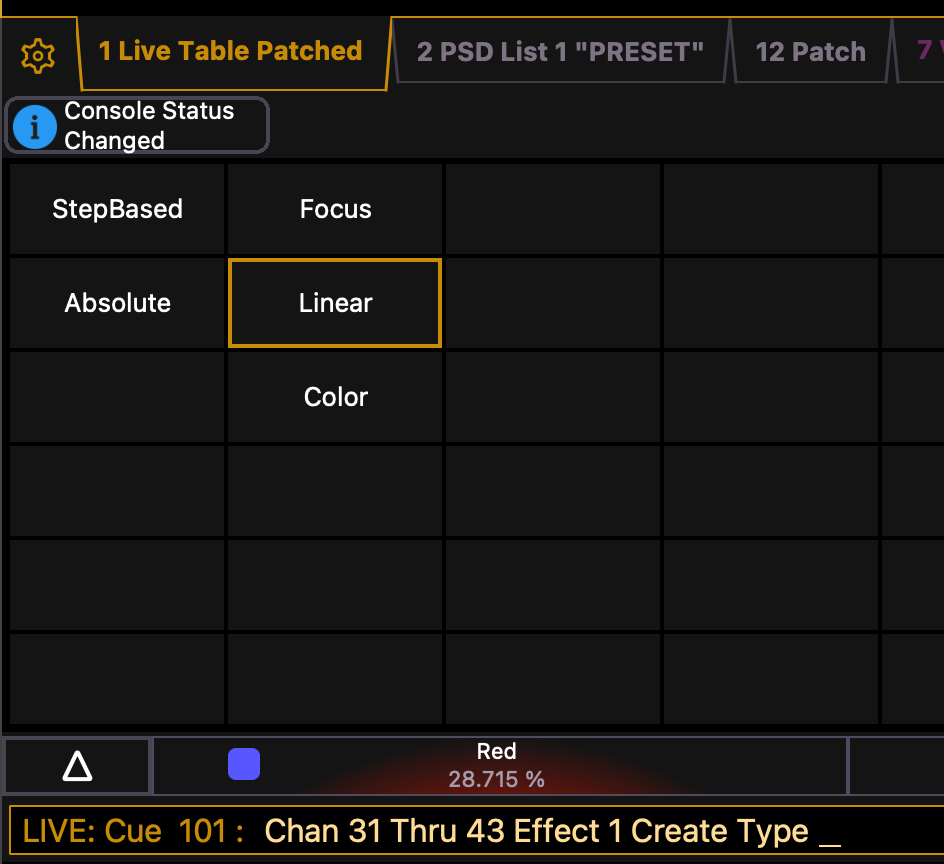
Choose which effect type you want. I’m choosing Absolute.
Here’s where it gets a bit frustrating. As you can see from the screen shot below, we actually get a fair amount of things we can customize…just not the commands within the effect itself. Which is a bummer.
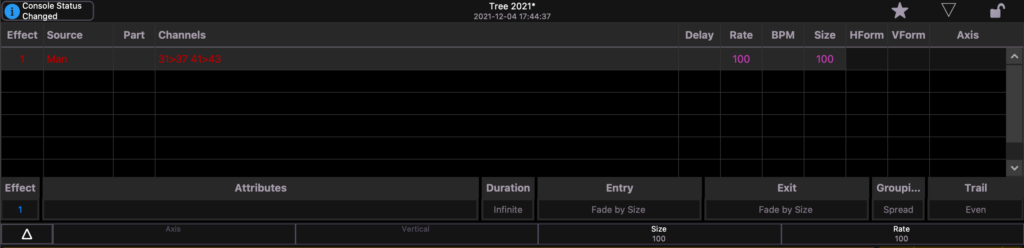
All the controls here act like the temporary Effects popup that allows you to modify attributes in a way that doesn’t alter the original, but can be recorded into the next Record Target. Here, I’ve changed the grouping to 2 and added Random Group, but none of those things are in the effect in Effect Blind.
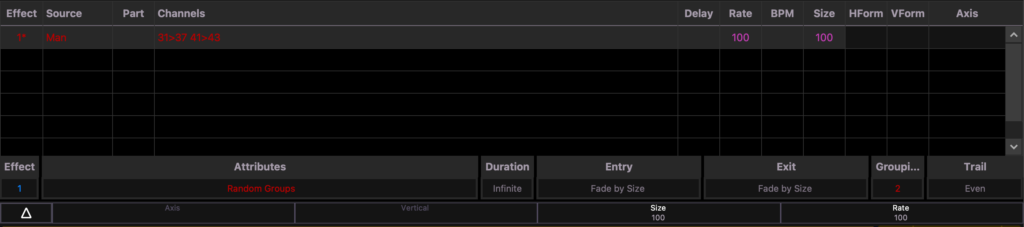
So in how I understand it, you can take this post in two ways.
- As an explanation of “what just happened?” if you too accidentally attempt to apply an effect that doesn’t exist on channels and the Create Type popup happens.
- As a VERY limited way to start an effect and have it running on your channels before you even go to adjust it in Effects Blind.
Of course- I may have missed some hidden feature that allows you more control in this situation, and if I did PLEASE tell me in the comments! I love to learn. If not- what other little surprise things does Eos do sometimes that intrigue you? Hit me in the comments.
***
Mark LaPierre is a programmer in film, television and theater based out of Albuquerque. He grew up in live entertainment and has been a designer/programmer for musicals, concert dance, live music, circus and corporate. Mark is a proud member of IATSE, an ETC Eos trainer and an enthusiastic trainer of many other platforms and subjects. He offers remote console coaching in 30 minute to 4 hour times as well as a full range of training in person. If you enjoy his content, please consider commenting on his posts on the website to appease the Algorithm.