As some of you may know, I’ve been lucky enough to write the User Guide for Lightwright for this latest version. But just because I write the manual doesn’t mean I know everything. The biggest reason is there are many of you using Lightwright in ways I can’t imagine since our workflow is so different. But sometimes it’s just because I didn’t notice. Select in Vectorworks is one of those features.
No clue when it showed up, but wow am I happy I know about it now. What it does is exactly what it says- select a device or devices in Lightwright, and select the option. It then selects the fixture(s) in Vectorworks. If this isn’t obviously exciting to you, let me tell you how it saved me a bunch of time recently.
I needed to move all light fixtures from one set in a large Vectorworks file to another. Sometimes during this there will be a few “phantom” fixtures that appear in Lightwright, often as duplicates. Select in Vectorworks made it so I could test which device in Lightwright was tied to an actual symbol in VW. So then I knew which channel 701 was the one I wanted to keep and which one I needed to delete. I love this feature. So helpful. Here’s how easy it is.
- Select the light in your Worksheet.
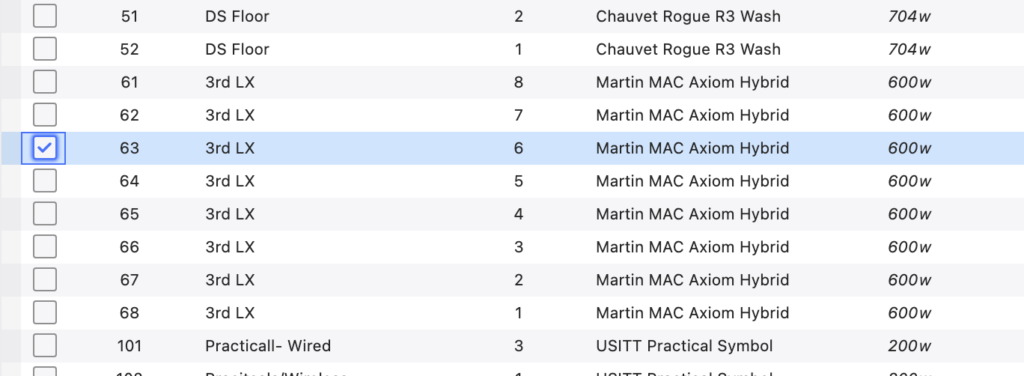
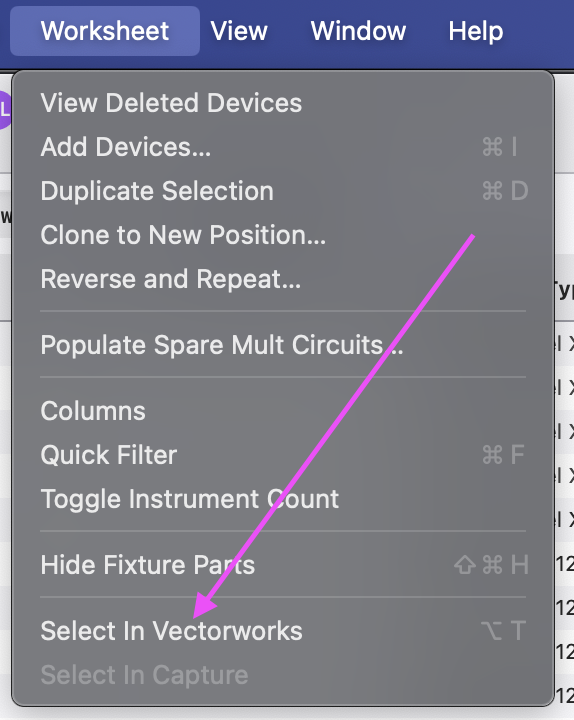
2. Go to Worksheet>Select in Vectorworks.
3. If you are in the correct Layer/Class, you’ll see the light selected when you switch to Vectorworks.
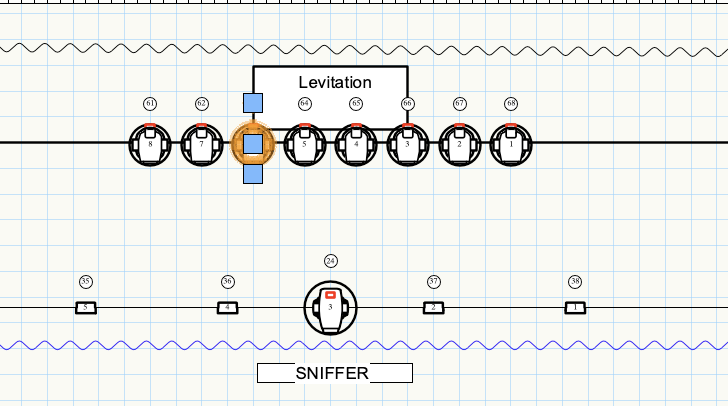
Can’t emphasize enough the need to be in the correct Layer/Class. Only you know how you set up your file, so I can’t give you any help with this part!
I love this feature. It addresses a significant need in my work (especially this week)!
What little features are hidden gems for you? And if anyone knows what I should be doing to prevent phantom lights- I’d love to hear from you. Share with everyone in the comments.
***
Mark LaPierre is a programmer in film, television and theater based out of Albuquerque. He grew up in live entertainment and has been a designer/programmer for musicals, concert dance, live music, circus and corporate. Mark is a proud member of IATSE, an ETC Eos trainer, a technical writer and an enthusiastic trainer of many other platforms and subjects. He offers remote console coaching in 30 minute to 4 hour times as well as a full range of training in person. If you enjoy his content, please consider commenting on his posts on the website to appease the Algorithm.