I underused Record Only on Eos until fairly recently. When the console first came out, I didn’t understand what it did. By the time I did understand Record Only, I already had a bunch of command line filtering macros that I developed my work style around. But then I start working in film.
Why does that matter? Because effects are usually done on a fader, not in a cue, so recording just the data I want into a submaster while a cue (or several) are all playing at once is a common occurrence. And Record Only does a great job of accommodating that. Why? Because Record Only will only allow you to record things that are manual (the red text that indicates unrecorded) values. Let’s do an example.
Let’s say we are doing a large sports arena scene. I have 1 mover appearing to be a spotlight while three others are in a crowd-sweeping ballyhoo. Our hero makes their entrance, then that moving light (454) needs to join the ballyhoo when he steps out of the spot.
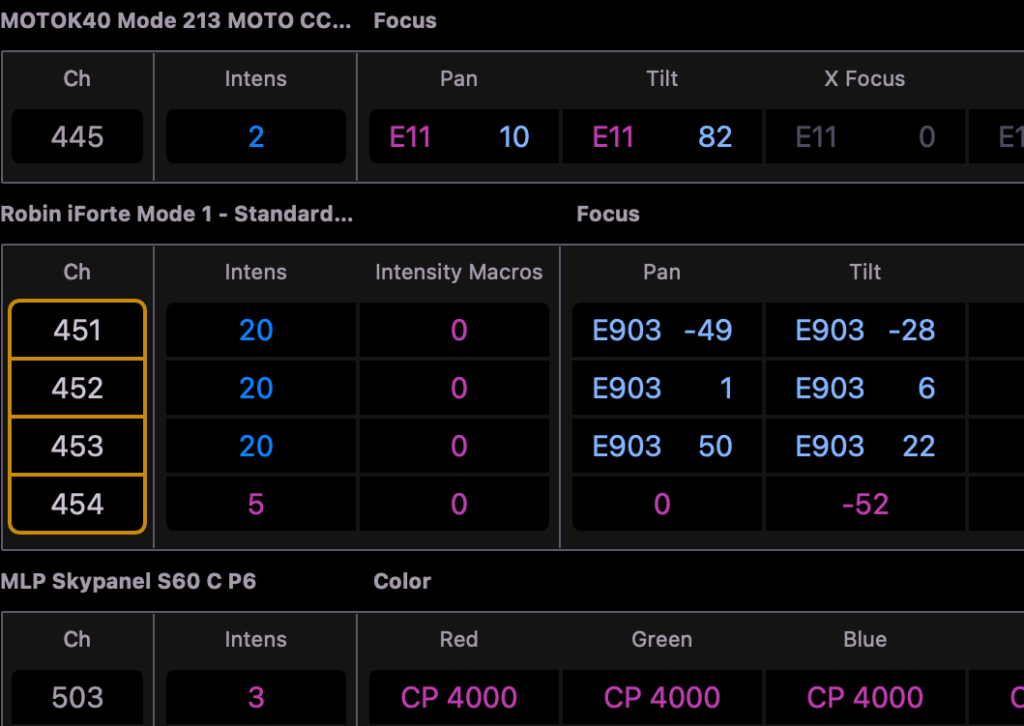
So step one is to put 454 into the effect.
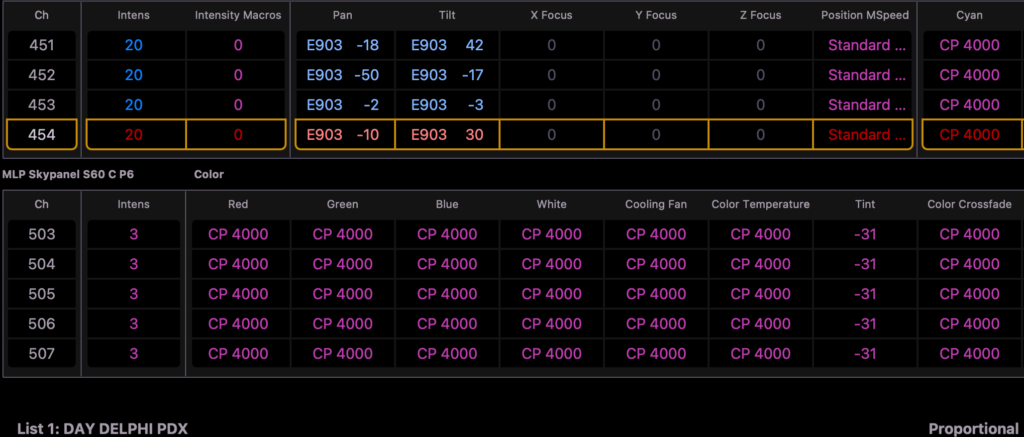
Now we want to be able to record the new Sub, but not capture anything but the changes I just made. In this moment, we could use Record Only right now and be fine. But I make it a habit to specify that channel(s) that I’m about to record at the top of the command line since it’s common to have other unrecorded changes as the DP and Gaffer ask for things. So the command line is:
454 Record Only Sub 7 Enter
If you’re not used to this style of recording, you might be confused by the fact that none of the manual values have been released.

The reason is Eos automatically releases manual changes when you record to a cue, but not to a Sub. Raise your newly recorded Sub.

Two things have happened:
1. You’ve confirmed that the Sub recorded what you wanted to record.
2. When you lower the Sub, you’ll see your Manual values for that Sub have been released.

I highly recommend you play with Record Only to make sure you will understand it on the day. Also, my standard rules for Subs apply:
- Record Exclude
- Set the Sub to LTP rather than HTP.
- Set the Priority to one value higher than the Cue list (or other things it has to override). In this case, P5.
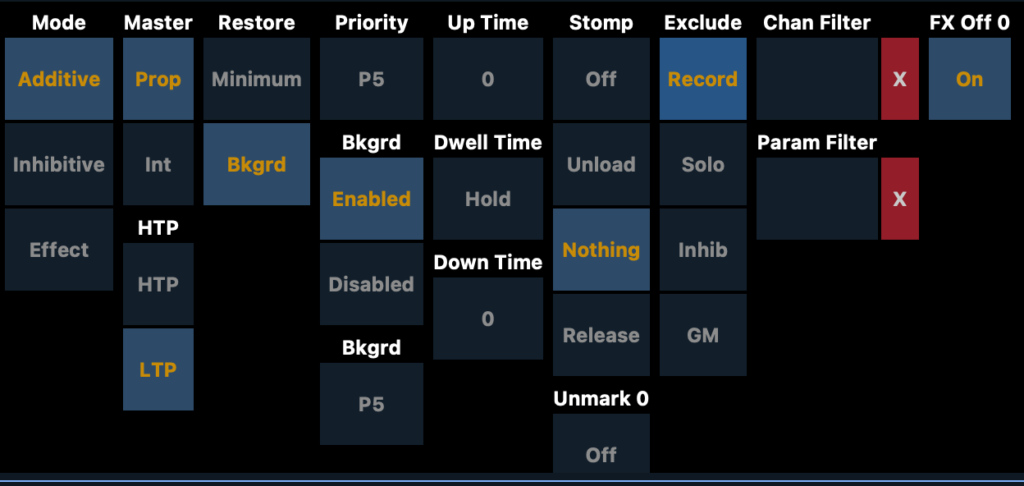
Record Only is one of those functions you most likely won’t need often, but it’s great when you do. Busking, Film and anything you need to create that isn’t just the next cue in a sequence are all great candidates for Record Only.
What buttons on Eos do you still wonder about? Hit me in the comments.
***
Mark LaPierre is a programmer in film, television and theater based out of Albuquerque. He grew up in live entertainment and has been a designer/programmer for musicals, concert dance, live music, circus and corporate. Mark is a proud member of IATSE Local 28 and 480, an ETC Eos trainer and an enthusiastic trainer of many other platforms and subjects. He offers remote console coaching in 30 minute to 4 hour times as well as a full range of training in person. If you enjoy his content, please consider commenting on his posts on the website to appease the Algorithm.